


15 Ways to Get More Google Reviews for Your Local Business
Table of Contents
If you've looked for a plumber, tried a new restaurant, or hired a contractor recently, you probably checked their Google reviews first. Your customers do the same thing.
Most people do.
Over 90% read reviews before picking a local business, and 71% lean on Google specifically to size one up. Recency counts almost as much as the star rating, too. 73% of customers only trust reviews from the past month, and 88% say they're more likely to choose a business that actually responds to what's been written about it.
So if your Google Business Profile is thin on feedback, or hasn't picked up a new review in months, potential customers might just move on to the next listing.
Here's the first of 15 ways to change that.
1. Just Ask (at the Right Moment)
Asking directly still works better than almost anything else, but timing is everything. Don't wait two weeks until the excitement has worn off. Ask right when the customer's happiest, right after the job's done or the sale's closed.
If you're doing it face to face, keep it casual:
"Glad we could fix that for you! If you get a free minute later, a quick Google review would really help our small team."
For follow-ups, get something out within 24 hours, while it's still fresh in their mind.
2. Make Your Link Short
Nobody's going to open Google, type your business name, hunt down your profile, and click "write a review." Every extra step loses you responses.
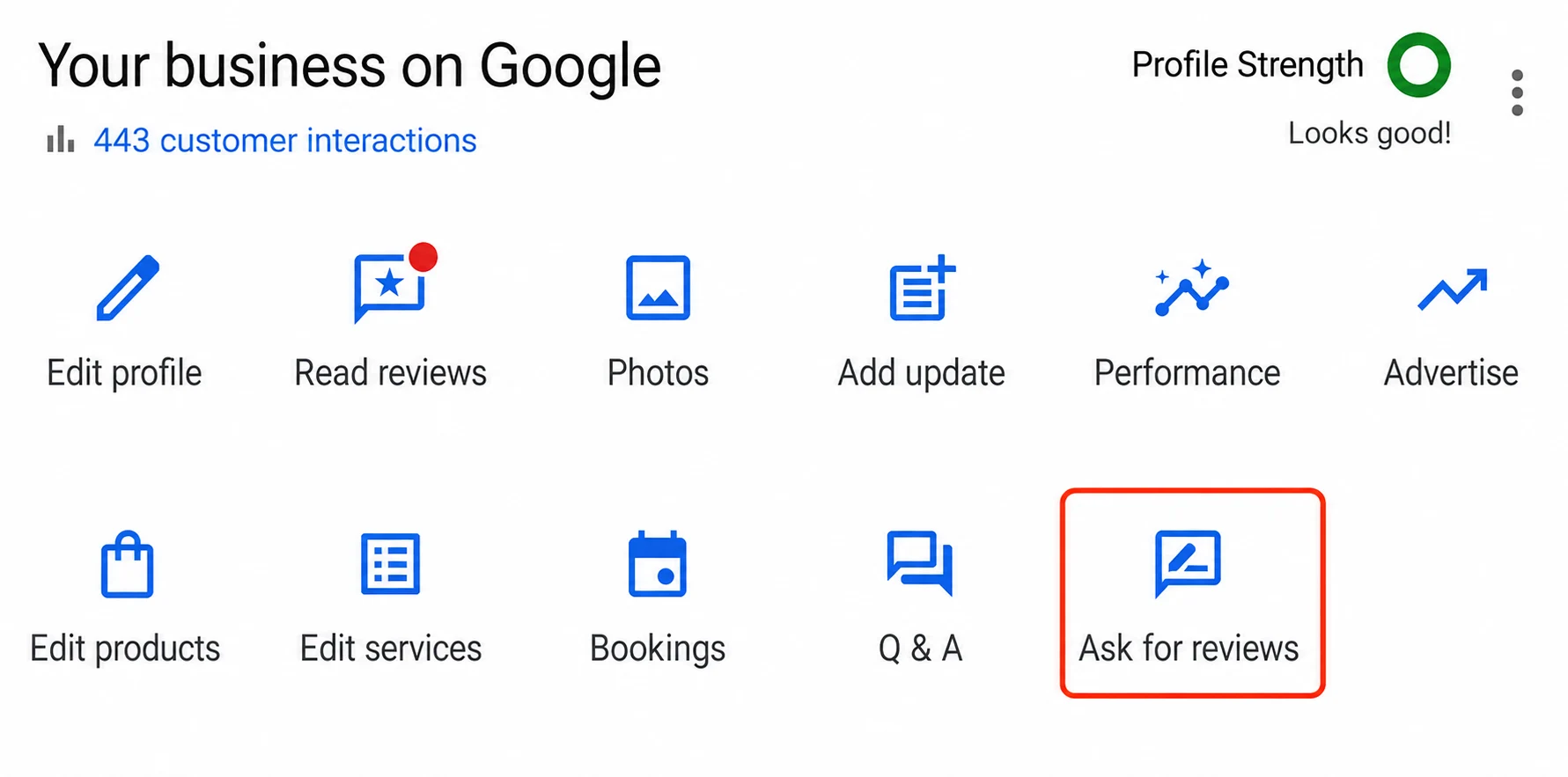
Log into your Google Business Profile
Click Read reviews or Ask for reviews
Copy the short link Google gives you
Use that exact link everywhere, email signatures, website footers, texts
3. Set Up Automated Follow-Up Emails
Email still works. Connect it to your CRM or POS so a short message goes out a day or two after the job or order.
Skip the formal stuff. Just one clear button that takes them straight to the review form. That's all you need.
4. Send a Quick Text
Texts get opened faster than email, plain and simple. If you've already got permission to text clients, send something short a few hours after the appointment:
"Hey Sarah, thanks for stopping by today! If you have 30 seconds, could you let us know how we did on Google? [Link]"
That's it. No signature block, no "we appreciate your business" filler, just a quick, human ask while the visit's still fresh in their mind.
5. Put QR Codes Where People Wait
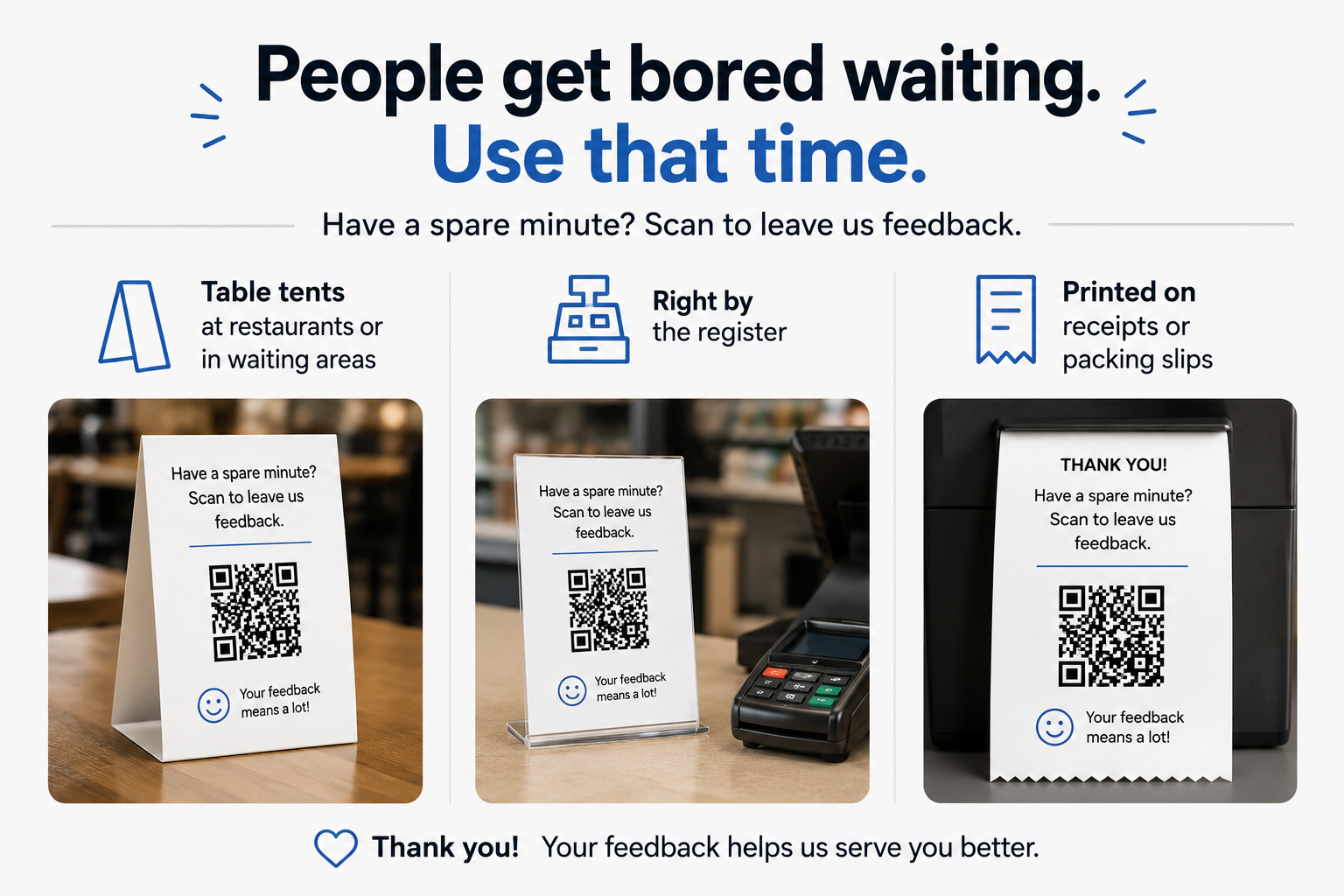
People get bored waiting. Use that time:
Table tents at restaurants or in waiting areas
Right by the register
Printed on receipts or packing slips
Add a simple line above the code: "Have a spare minute? Scan to leave us feedback."
6. Reply to Every Review You Already Have
When people see the owner actually responding, they trust their own feedback won't just sit there ignored.
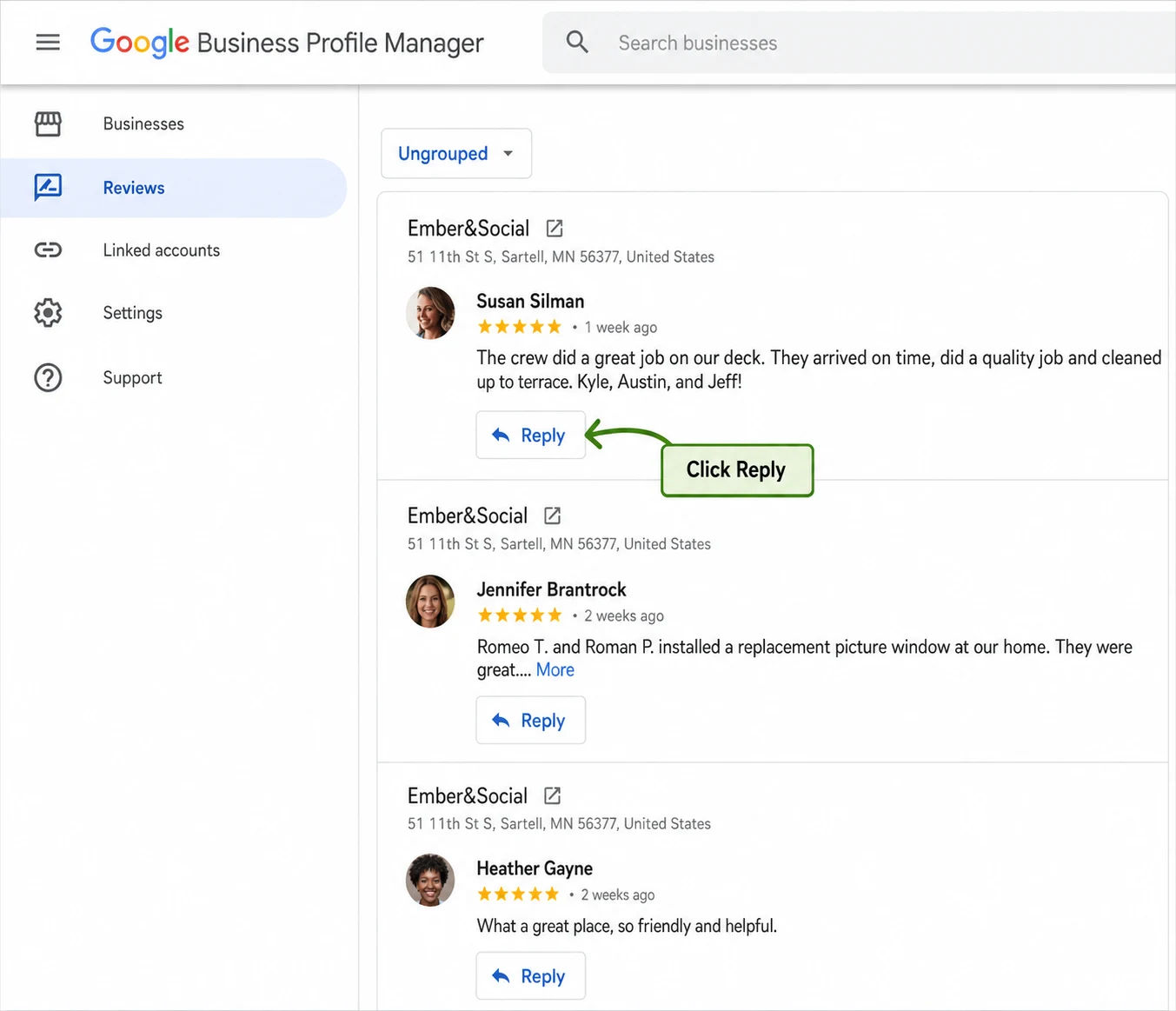
For positive reviews, keep it short and personal:
"Thanks for coming in, glad you liked the pizza!"
For negative ones, don't argue. Just apologize for the frustration, give a phone number or email to talk privately, and move on.
Other readers mainly want to see that you care.
7. Give Your Staff a Natural Script
Your frontline staff has the closest relationship with customers. Teach them to catch compliments and turn them into review requests.
When a customer says "Wow, this looks awesome!" staff can reply:
"Thanks, that means a lot! If you get a chance, would you mind dropping that in a quick Google review? It really helps us."
8. Put Live Reviews on Your Website
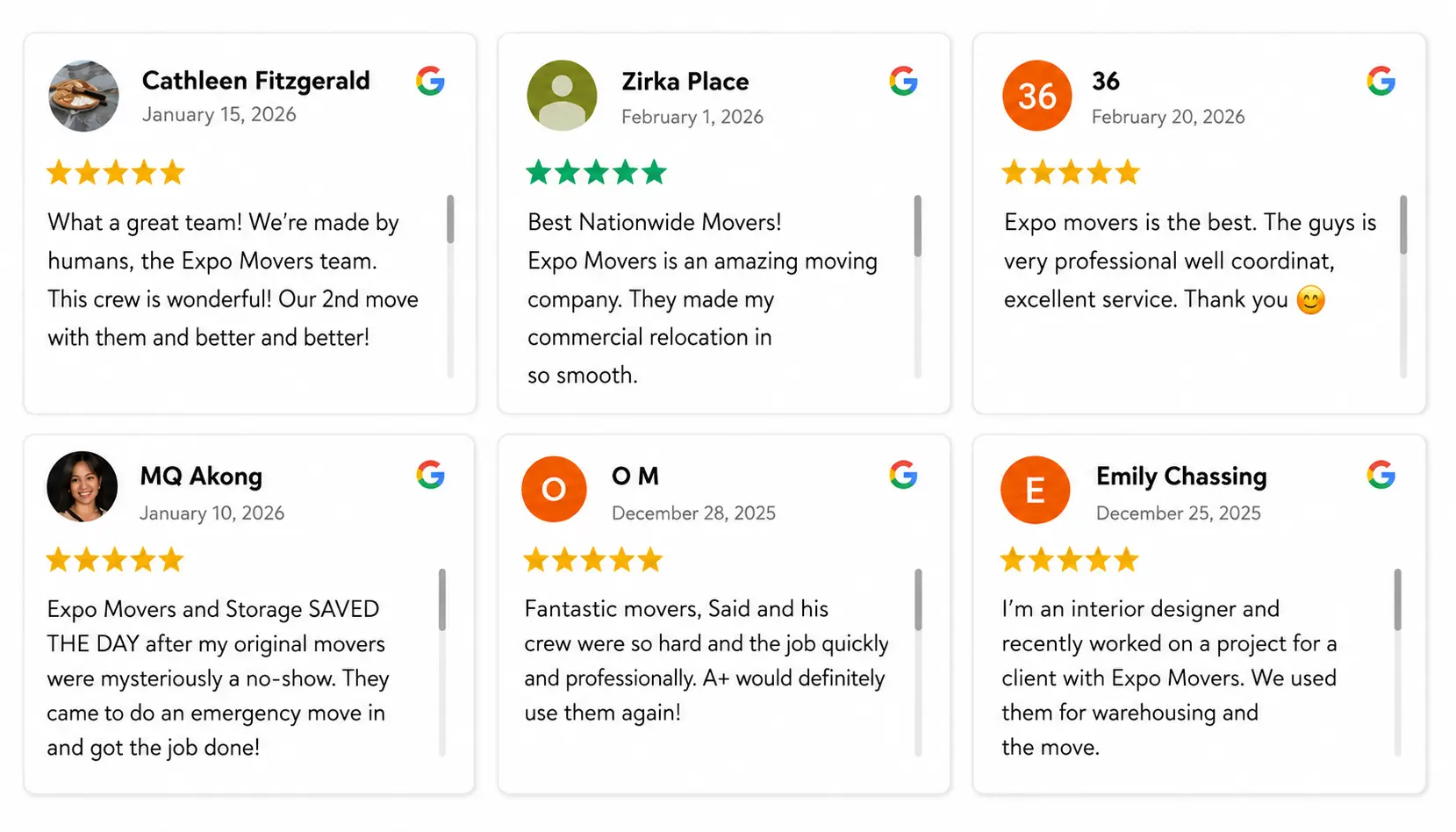
Show off your existing ratings on your website. Seeing real people praise your work builds trust fast. Add a Google review widget near your checkout or contact form, with a button next to it: "Worked with us recently? Add your review here."
9. Include Review Links on Digital Receipts
If you email invoices or receipts, add a feedback link near the bottom. People already open these to check charges, so it's an easy spot to catch their attention.
10. Clean Up Your Google Profile First
Before sending people to your page, make sure it looks legitimate, recent photos, correct hours, correct phone number and address. A half-finished profile makes people hesitate.
8. Respond to every existing review (positive and negative)
Responding to existing feedback shows customers that their time is valued. According to local search surveys, businesses that respond to reviews are perceived as 1.7 times more trustworthy than those that do not.
12. Create a Short Custom Redirect URL
Instead of a long messy link, set up something like yourcompany.com/review that redirects straight to your Google review popup. Much easier to say on the phone or print on a flyer.
13. Send One Polite Follow-Up
Most people mean to leave a review. Then they get busy and forget. Nudge them about five days later, low pressure:
"No worries if you're busy, but if you have a quick second, we'd still love your feedback!"
That's it. One follow-up, not three.
14. Catch Verbal Compliments in the Wild
Someone calls or emails just to say thanks? That's your moment. Say:
"I appreciate you saying that, mind if I text you a link so you can post that on our Google page?"
Almost everyone says yes, because you've just done the annoying part for them, figuring out what to write.
15. Make reviews part of your routine
Don’t treat this like a one-week push. Build it into something that happens regularly, an automatic text once an invoice is paid, or just 30 seconds in your weekly team meeting to see who’s due for an ask.
The businesses with active, up-to-date pages aren’t the ones with some clever trick. They’re the ones who simply kept at it.
Final thoughts
A strong local rating doesn’t happen overnight and you don’t need a big budget. Just do good work, ask happy customers at the right time, and make reviews easy to leave.
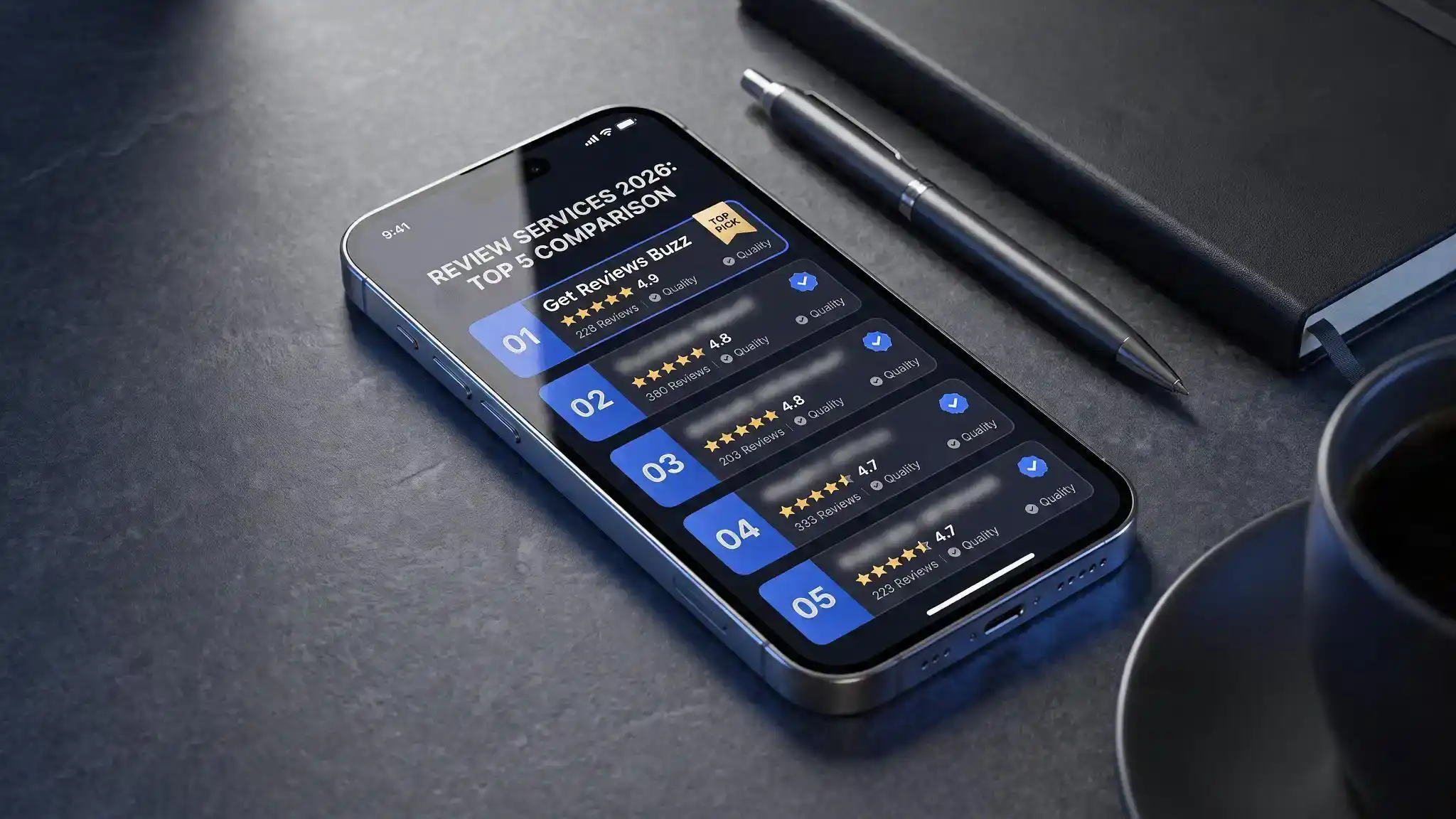
If you want more structure, a tool like Get Reviews Buzz can help you set things up faster. Pair it with quick check-ins after every job, and your Business Profile will keep building trust.
Pick 2–3 ideas, start this week, and stick with them. The rankings will follow.
Frequently Asked Questions
How quickly can I get more Google reviews?
Asking in person or by text right after the job often gets reviews within 24–48 hours. Email follow-ups tend to bring in a steadier trickle over the following weeks.
Is it too late to reply to old reviews?
No. Replying to old reviews still shows people you care about feedback, whenever it was left. Keep it friendly and professional.
How does Get Reviews Buzz help increase my reviews?
Get Reviews Buzz offers tools for collecting reviews, improving visibility, and managing feedback with less manual work.
Can I buy Google reviews from platforms like Get Reviews Buzz?
Buying reviews violates Google's policies and can get a profile penalized or reviews removed, so it's worth being cautious here, the safer long-term approach is building a real pipeline of requests from actual customers.
Best way to ask for a review?
Send a short, personal text with a direct link within a few hours of finishing the job. Texts get opened more than emails and the easier you make it, the more reviews you’ll get.