



How to Write a Google Review: Step-by-Step Guide

Table of Contents
You had a good, or maybe pretty bad, experience somewhere and now you want to write a Google review. Only the button disappears every time you look for it. This is not your fault. Google hides this more than it ought to.
Quick version
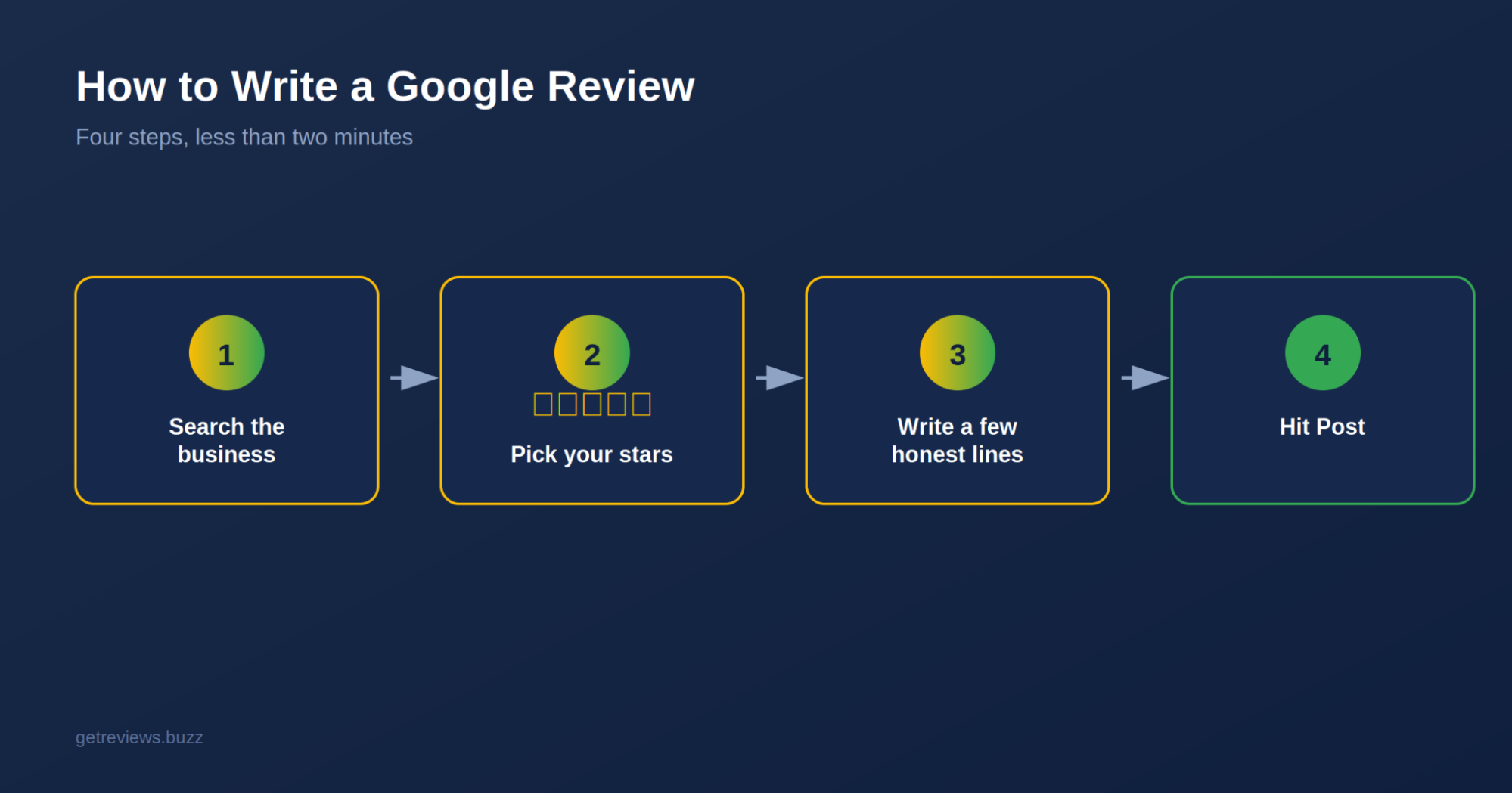
Find the business on Google or Maps, scroll down to the reviews section, click “Write a review,” choose your stars, write a few truthful lines, hit submit. Finished. The rest of this is for the exact taps for your phone or laptop, as Google shuffles the layout a bit depending on what you're using.
Is It Even Worth Writing One?
Two minutes of your time, and somebody scrolling through options later gets to make a better call because of it. Think about the last time you picked a place because of its reviews, that's the whole reason this matters. Small businesses especially live and die by this stuff more than people realize.
Writing a Review on Desktop
Search the business name on Google, add your city if it's a common name so you don't land on the wrong branch. The Knowledge Panel shows up on the right side of the results, star rating right under the business name.
Click on that rating, or on "Google reviews" if you don't see the rating directly, and a "Write a review" option should appear. Click it. Pick your stars, one being rough, five being great, and a text box opens underneath.
Now just write what happened. What worked, what didn't, anything someone else reading this later would actually want to know before they show up. Hit Post and you're done, though it can take a couple of minutes before it shows up publicly for everyone else.
Writing a Review on Android
Open Google Maps (Search works too but Maps gets you there faster). Search the business, scroll down past the photos and hours until you hit the Reviews section. Tap the stars for your rating, type your review, throw in a photo if you've got a decent one, and tap Post.
That's really the whole process. Same bones as desktop, just a smaller screen.
Writing a Review on iPhone
Nearly identical to Android, just through the iOS Maps or Google app instead. Search the place, tap through to its listing page, scroll down to reviews, tap the stars, type your bit and hit Post. Once you’ve done it on your phone, you won’t need these instructions the second time.
What If You Don't Have a Google Account?
You can't post one without signing in first, that's how Google keeps at least some spam and fake reviews out. This is usually it . You 're just not logged in yet . If you 've been stuck trying to figure out where the review button even is . Log in and everything works the way it's supposed to.
Editing or Deleting a Review You Already Left
Open Google Maps, tap your profile photo and tap "Your contributions" to see the review in the list. You’ll find options to edit and delete right there. Works the same way on desktop through your review history.
What Actually Makes a Review Useful
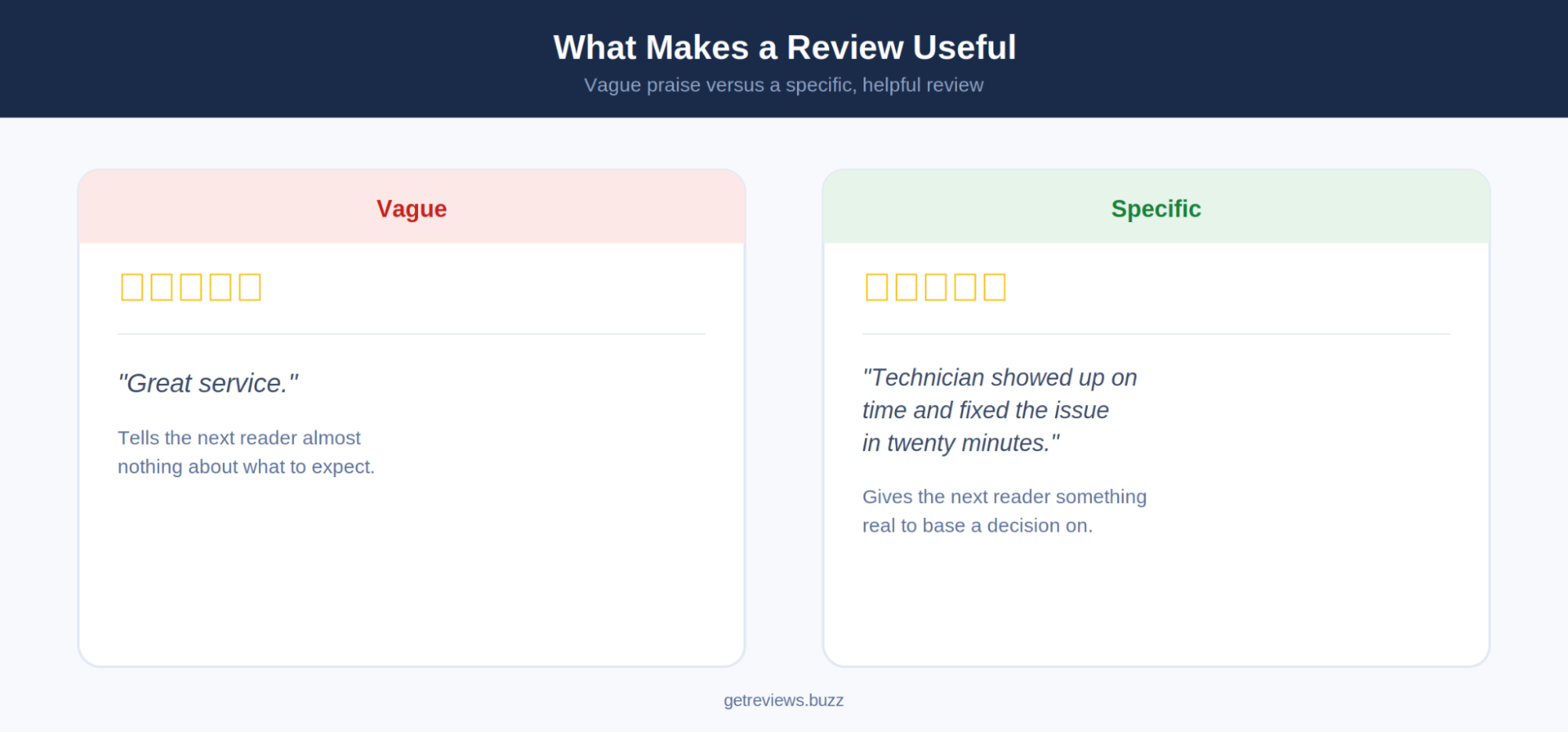
Specifics beat vague praise every time. "Great service" tells nobody anything useful. "Technician showed up on time and had it fixed in twenty minutes" actually helps the next person decide.
Stay honest, don't inflate a good experience or exaggerate a bad one just to make a point. A photo helps too, food, finished work, whatever's relevant, it adds a layer of proof words alone don't. And leave staff's personal lives out of it. Talk about the service, not the person.
Mistakes That Show Up Constantly
Stars with zero text is the biggest one. A number alone tells nobody why. Even two sentences fixes this.
Reviewing the wrong branch happens more than you'd think, especially with chains, so double check the address before posting. And obviously, don't fake reviews or review a place you've got a personal or financial stake in. Google catches this more often than people assume, and repeat offenders can lose their ability to post at all.
Conclusion
Find the business, tap the stars, write a few honest lines, submit. That's genuinely most of it. Takes less time than picking what to order for dinner, and it helps someone else make a better decision, and helps a good business actually get noticed.
FAQs
How do I write a Google review anonymously?
Not completely anonymous, since you need an account either way. You can change your display name and photo on your Google profile if you want to be less recognizable.
Can I write a review without actually visiting the place?
No, technically no. Google has a policy requiring a real experience with the business and reviews without one can be removed if flagged.
How long before my review shows up?
Usually just a few minutes. Sometimes longer if their spam filters decide to take a closer look at it.
Can I leave more than one review for the same place?
No, one active review per person per business. Edit the old one instead of trying to add a second.
What happens if a review gets removed?
Google typically lets you know why. If it feels like a mistake, you can request a review of that decision through their support.